Introduction
Putting AI to practical use starts with a clear business problem. At Newtuple, we focus on everyday tasks where AI can reduce effort, help people make decisions, and keep work moving. That is how we move beyond the hype and connect AI capabilities to real business results.
For one retail chain, the problem was identifying products with missing or unreadable barcodes. We turned years of existing product photos at the retailer into a searchable catalogue, allowing staff to photograph an item and review likely matches. It is a practical example of applying AI to a familiar operational problem, with clear benefits: easier product lookup, less reliance on support teams, and a simpler path to pricing and ticket creation.
A summary of the problem we’re trying to solve
 Store associate using photo search to identify a product
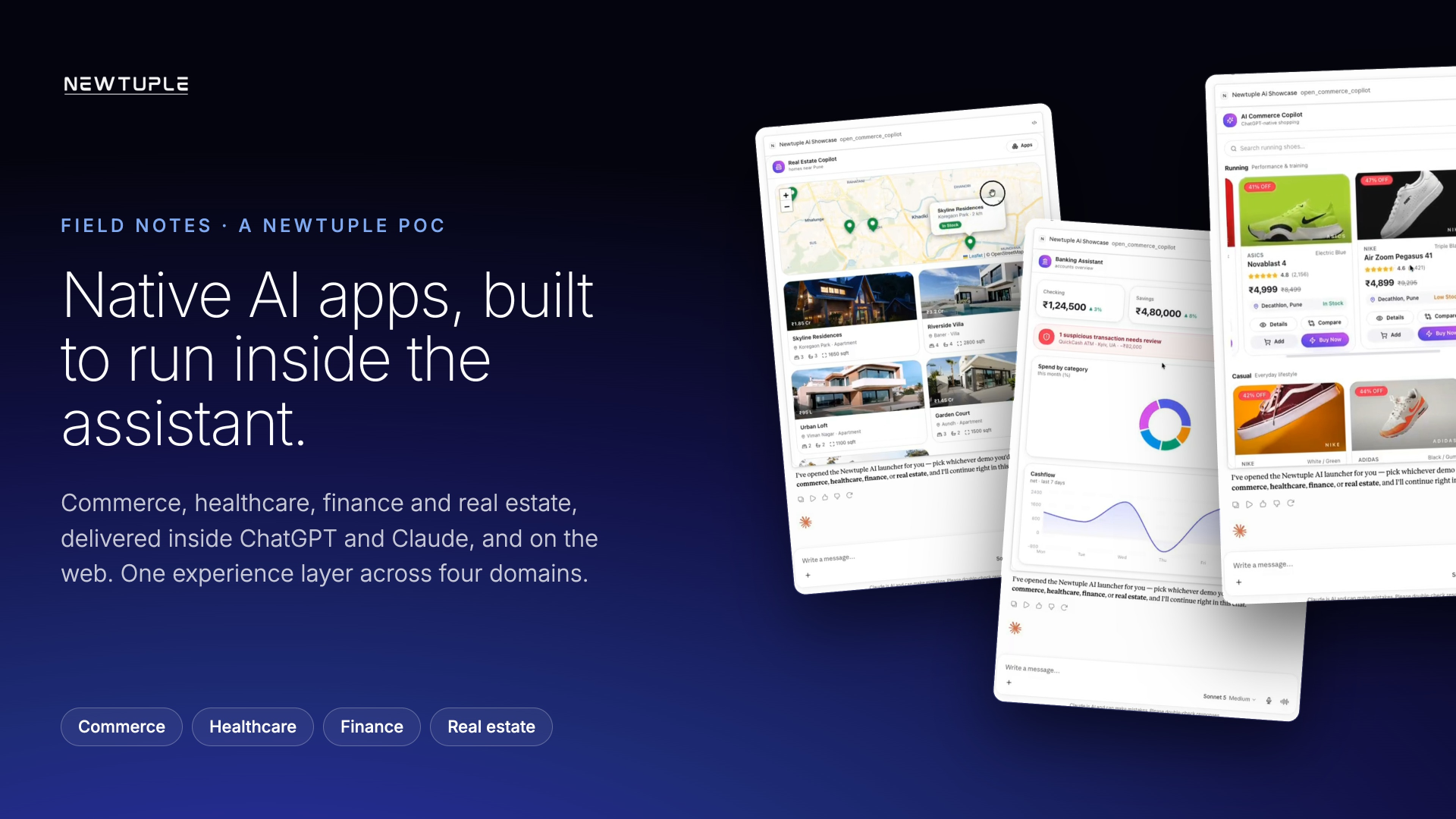
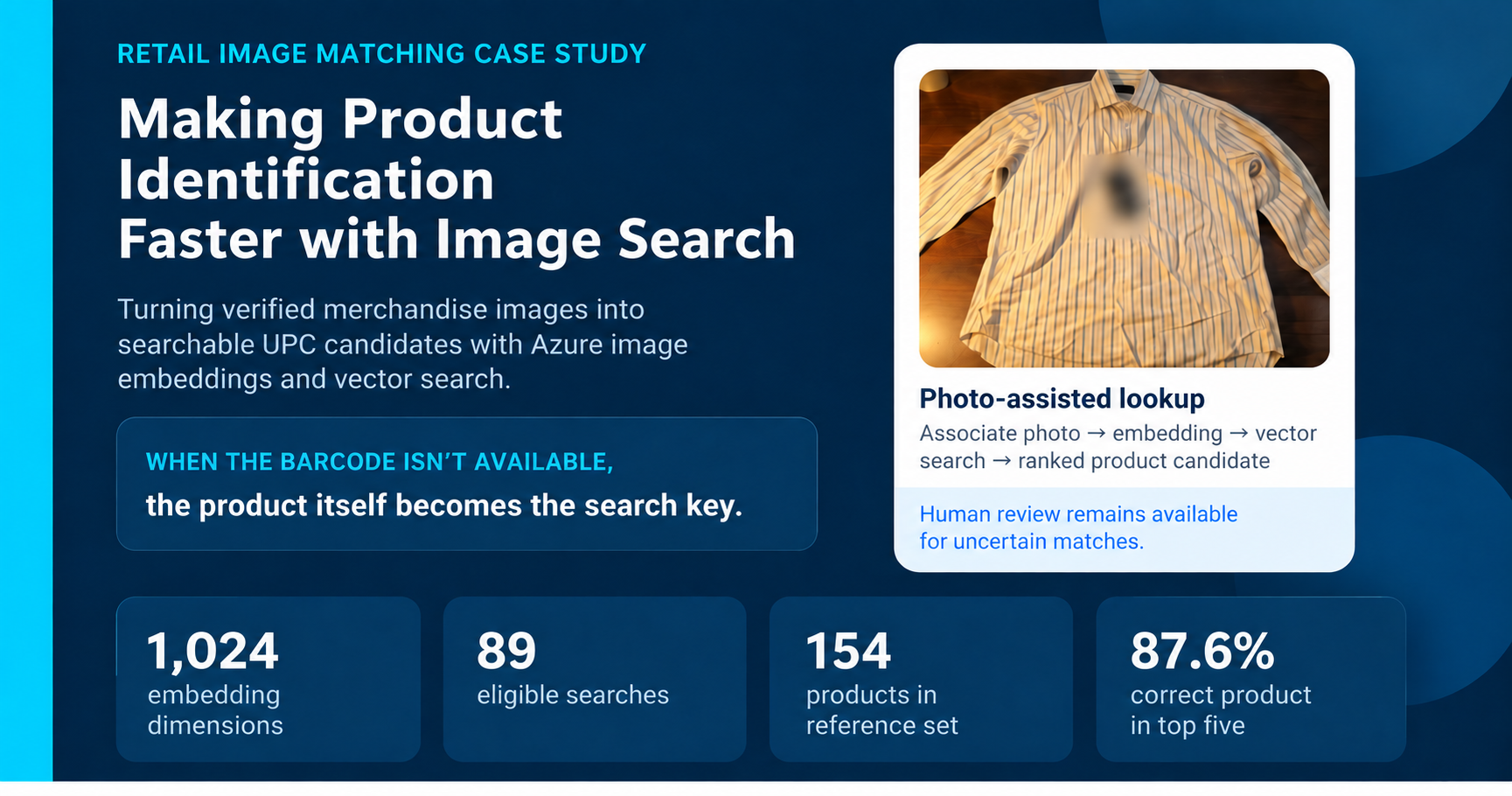
While working with a retail chain, we looked at what happened when staff had an item they couldn’t identify from its barcode. They could search product records or ask another team, but both involved extra work. The retailer already had a rich repository of product photos that was being collected over many years. We used those photos to build a search feature that let staff take a picture of an unidentified item and review matching products. In the evaluation, the right product appeared in the first five results in 78 of 89 searches, but came first in only 50. This gave staff a useful starting point for identification, while keeping the final choice in their hands. This particular capability is useful under a number of scenarios:
- Identifying items with missing tickets: Help store staff find the right product when its price tag or barcode is missing or damaged.
- Processing returns: Narrow down possible matches when a customer brings back an item without its original packaging or tag.
- Checking mixed or misplaced stock: Identify unfamiliar items found on the wrong shelf, in a stockroom, or among other products.
- Resolving receiving discrepancies: Help teams identify items delivered with missing labels or labels that do not match the shipment records.
- Finding similar products: Surface visually similar items when staff need to help a customer locate an alternative, with availability checked separately.
| What the evidence from our deployment supports The results suggest that photo search can help staff narrow down the choices, with someone checking the final product. Before expanding its use, the next step is to test photos taken in store aisles and measure how long identification takes. Each result includes the product’s UPC (Universal Product Code), so staff can connect the suggested match to its product record. |
|---|
01 / PROBLEM
When a barcode is missing
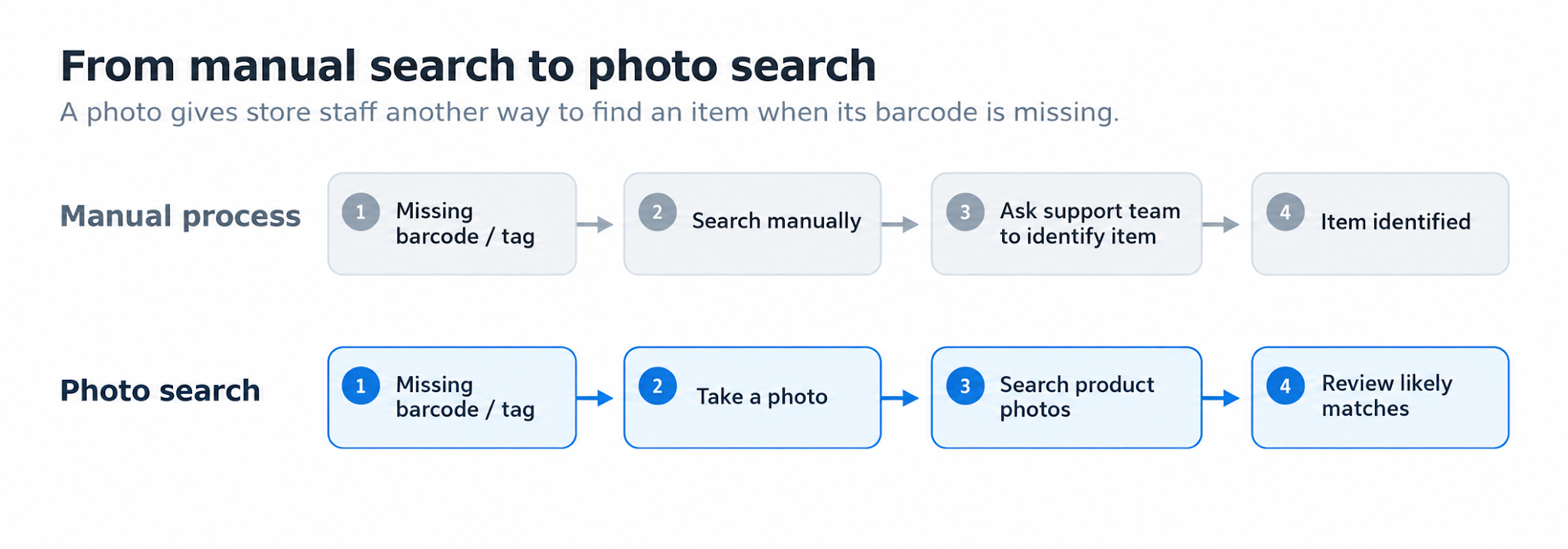
Identifying an item becomes harder when its barcode or price tag is missing, damaged, or covered. Staff may need to search product records, report the issue, ask a support team for help, or compare several similar items.
 Store workflow for identifying an item without a barcode
A photo gives staff a starting point for product identification.
What we wanted to make easier
| Less searching and waiting Less time spent searching for product information, fewer handoffs to other teams, and fewer delays around pricing or ticket creation. | Human review where it matters Staff can check the suggested products. If the scores are too low, the system returns no match. |
|---|
| Why now The retailer already had verified product photos. Reusing them made it possible to build a searchable catalogue without collecting every image again. |
|---|
02 / APPROACH
Why a photo helps when a tag is missing
Staff needed a way to search when there was no readable barcode or label. Image matching let them use the item’s appearance instead. Barcode scanning and text recognition remained useful where labels could be read; photo search covered another part of the problem.
| Approach | How it works | Strength | Limitation |
|---|---|---|---|
| Barcode scanning | Reads the printed barcode | Fast and highly accurate when visible | Fails when the barcode is missing, damaged, covered or hard to scan |
| Text recognition (OCR) | Reads brand, style or label text | Useful when text is clear | Less reliable with blur, curved surfaces, poor lighting or missing text |
| Manual search | Searches by description, color, brand or style | Requires no additional image technology | Adds time and can produce inconsistent results |
| Product classification | Identifies a general category | Useful for broad organization | May not separate visually similar products or variants |
| Image matching | Compares a new photo with verified product images | Works without a barcode or readable text | Needs clear photos and suitable images of the product in the catalogue |
Why we used Azure
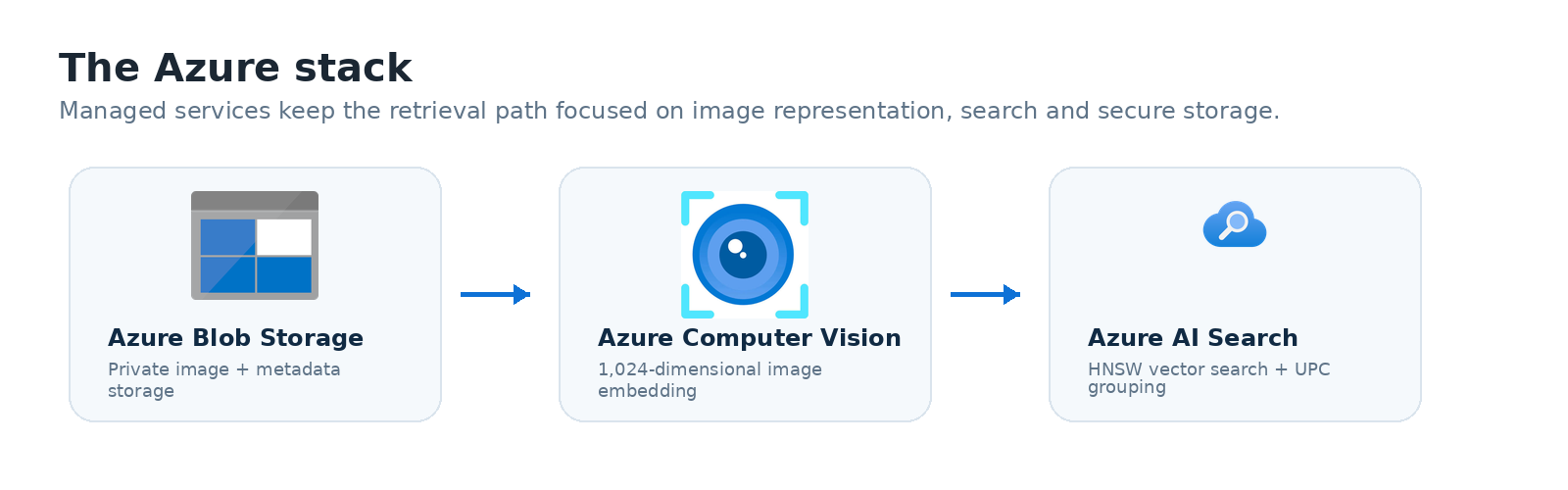 Azure services used for secure product image search
We used Azure to store the photos privately, turn them into numerical descriptions, and search for similar images. These services worked with the retailer’s existing access controls and reduced the amount of infrastructure the team had to maintain.
| Security and access Product photos stay in private Azure Blob Storage. The application uses its own identity to access them, with links that expire after a short time. Staff can view the photos without making the collection public. |
|---|
03 / TECHNICAL DESIGN
How a photo becomes a list of likely products
1. Describe the photo with numbers
Azure Computer Vision converts each photo into a vector of 1,024 numbers that captures its visual features. We use the same model for catalogue images and photos taken by staff, allowing the search to compare them and find visually similar products.
2. Store the description with product details
The photo’s numerical description is stored with its product identifier and details. The original photo stays in private storage. These records keep each search result connected to the right product.
| Asset ID | UPC | Image role | Submission ID |
|---|---|---|---|
| Blob path | Source application | Product details | Embedding model version |
3. Compare photos and rank likely matches
Azure AI Search compares these numerical descriptions using cosine similarity. A higher score means the images look more alike to the model; it does not tell us how likely the product identification is to be correct. The application groups results by product, so several photos of the same item do not fill the list with repeated matches.
| From photo to likely matches Product photo → numerical description → compare with catalogue photos → group results by product → show likely matches and product details. |
|---|
04 / WORKFLOW
How product photos become searchable
The workflow has two parts: add approved product photos to the catalogue, then search them using a new photo taken in the store. Both use the same image model.
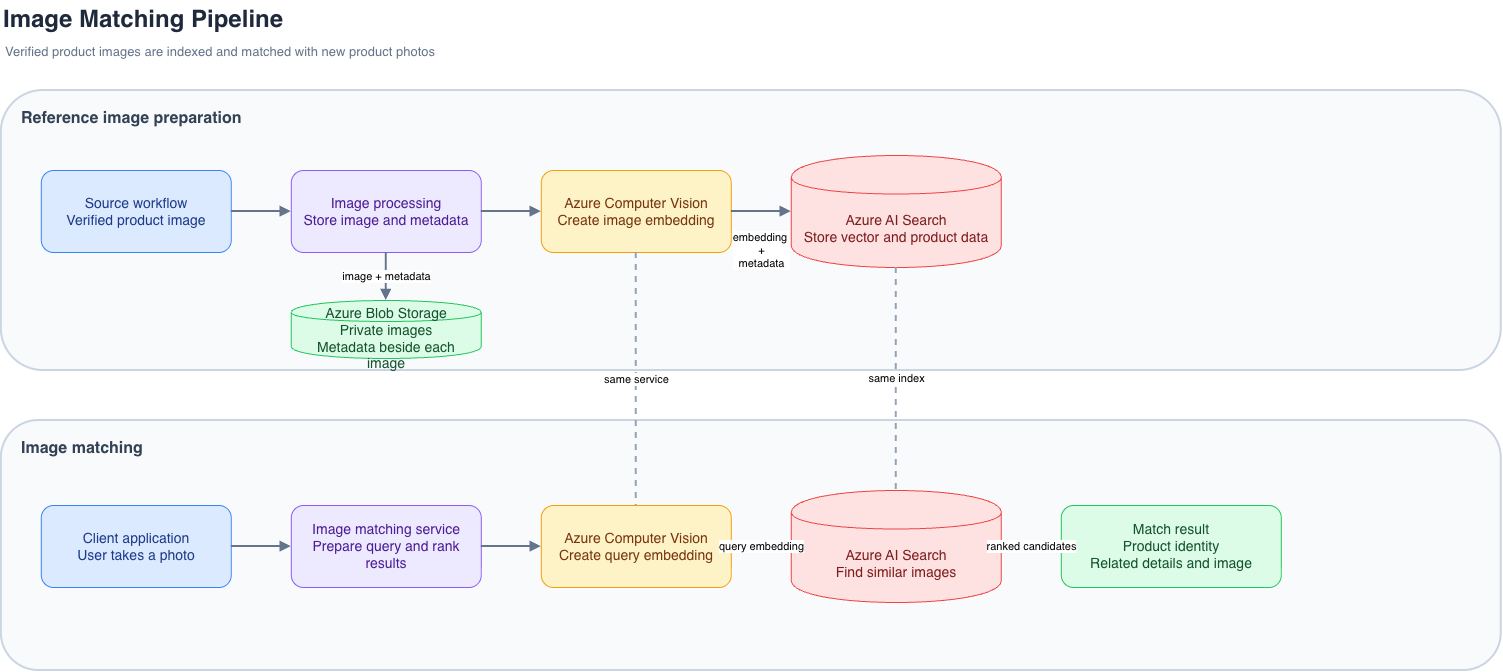 Product image search technical workflow
The same image model prepares catalogue photos and compares new store photos.
Prepare approved product photos
- A product image is approved when merchandise is checked on arrival.
- Store the approved photo privately with its product identifier and submission details.
- Create the photo’s numerical description and add it, with the product details, to the search catalogue.
Use photo search in the store
- Take a photo in the store application.
- Compare the new photo with catalogue images and rank the results by product.
- Show a likely match or a shortlist for staff confirmation; return no match when confidence is too low.
05 / EVALUATION
How often search found the right product
In our evaluations, the correct product appeared in the first five results in 78 of 89 searches (87.6%) and ranked first in 50 (56.2%). We started with 400 photos from merchandise checks and removed 65 suspected duplicates recorded under different product identifiers. The front-and-back photo set contained 243 images of 154 products. Of these, 89 front photos could be used as searches because another photo of the same product was available for comparison. We excluded the search photo itself from the results. The evaluation compared image vectors in memory; it did not query the live Azure AI Search service.
| 50 / 89 correct product ranked first | 78 / 89 correct product in top five | 21 / 26 correct above a 0.92 threshold | 0.9792 pairwise ROC-AUC |
|---|
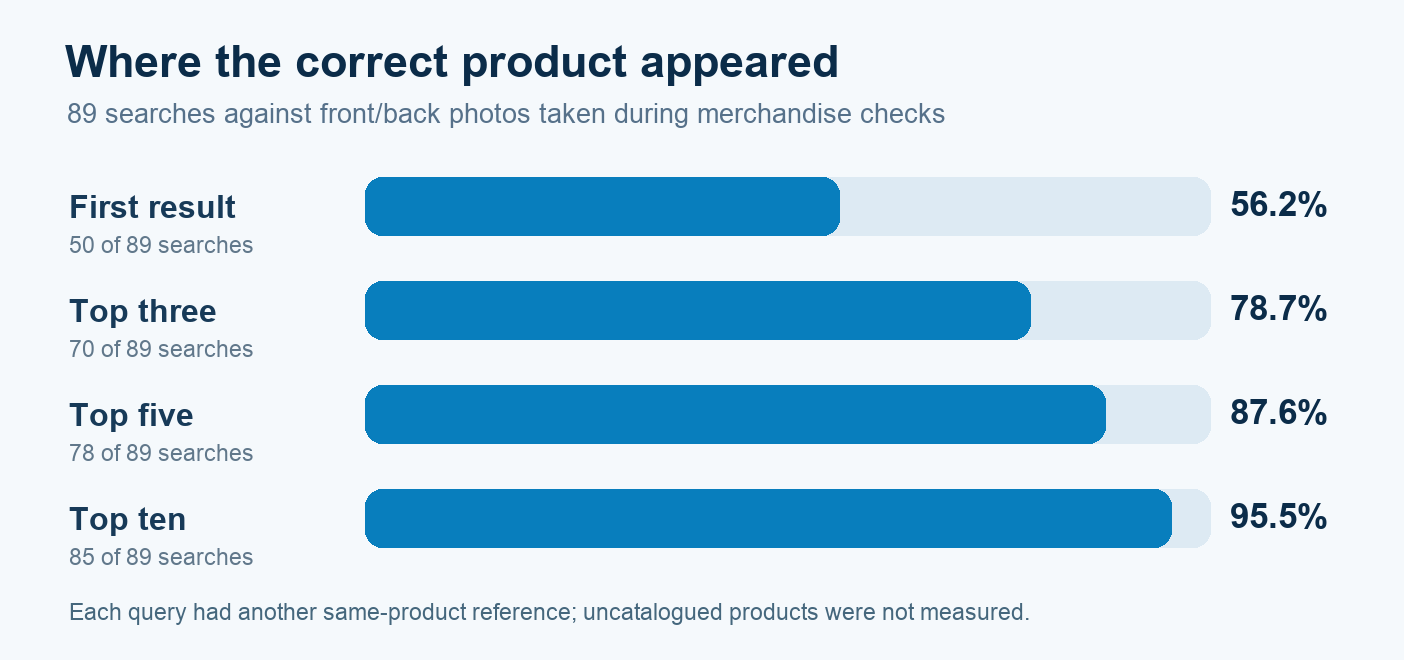 Product image search retrieval results
Search results and their limits
| Useful shortlist The right product appeared in the top five in 87.6% of searches and the top ten in 95.5%. It ranked first in 56.2%; median rank was 1 and mean rank 2.7. ROC-AUC (0.9792) measures separation between same-product and different-product photo pairs, rather than success per search. | A stricter cutoff leaves more searches unanswered At a similarity cutoff of 0.92, only 26 of the 89 searches returned an answer. The first result was correct in 21 of those 26 cases: 80.8% precision, but only 29.2% coverage. Raising the cutoff to 0.95 left just 11 searches with an answer, too few to draw a firm conclusion. A stricter cutoff therefore needs to be judged alongside how often staff are left without a result. |
|---|
In the run using all five photo types, the correct product ranked first in 46.2% of 119 searches and appeared in the first five in 78.2%. The front-and-back run returned better results, but it also used different search photos. We therefore cannot say how much of the difference came from the catalogue. The evaluation also left three questions open: how real aisle photos perform, how the live search service behaves, and how grouping results by product affects the list staff see. Products with only one photo were excluded from the searches.
06 / CATALOG DESIGN
Finding 1: The right product photos improve search
The photo collection can include front and back views, price tags, product markings, and other supporting shots. In our evaluation, the front/back set ranked products better than the set containing all five photo types. The two runs used different searches, so the improvement cannot be attributed only to the choice of catalogue photos.
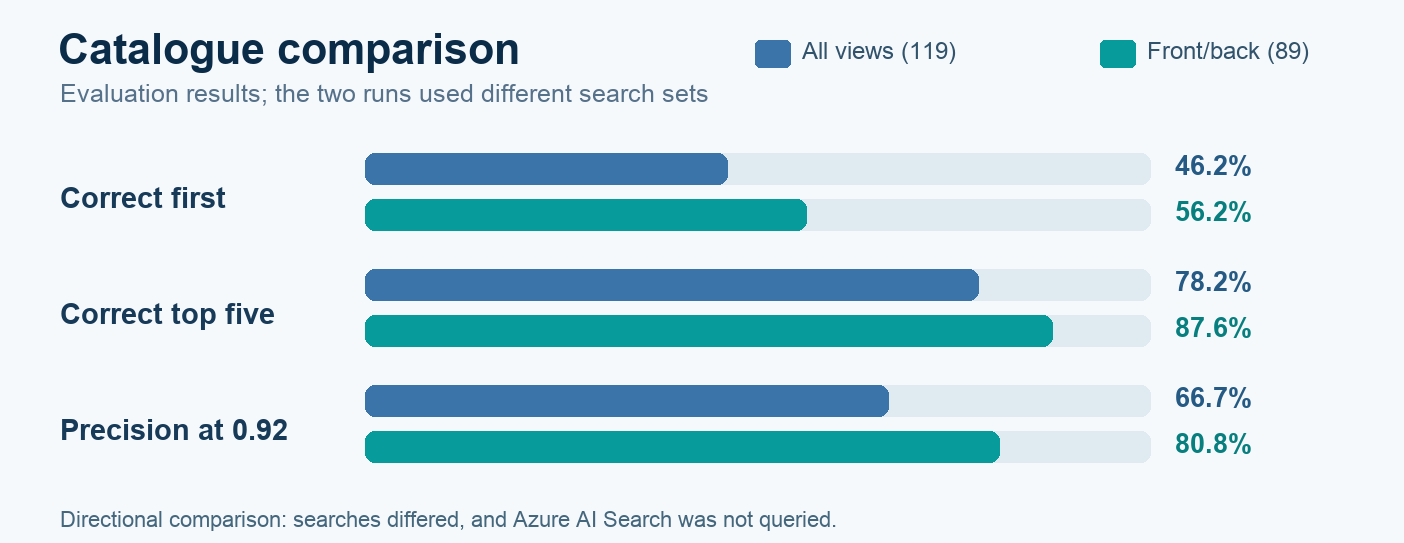 Comparison of product catalogue photo strategies
The practical rule
| Include a front photo of every searchable product Every product intended to be found from a store photo should have a front photo in the catalogue. Adding a back photo gives the search another view to compare. |
|---|
A product can be in the catalogue and still be hard to find if its only photo shows a price tag rather than the item. Search quality starts with taking clear product photos and choosing suitable images for the catalogue.
Why staff still check the result
Two different products can look very similar, so the first result can still be wrong. Staff need to check the suggested product before using its details. When the similarity score is too low, the system can return no match instead of offering a weak suggestion.
07 / REAL IMAGE BEHAVIOR
Finding 2: How blur and angle affect image match scores
The two products below show how the same item can look under clear, blurred, and rotated photo conditions.
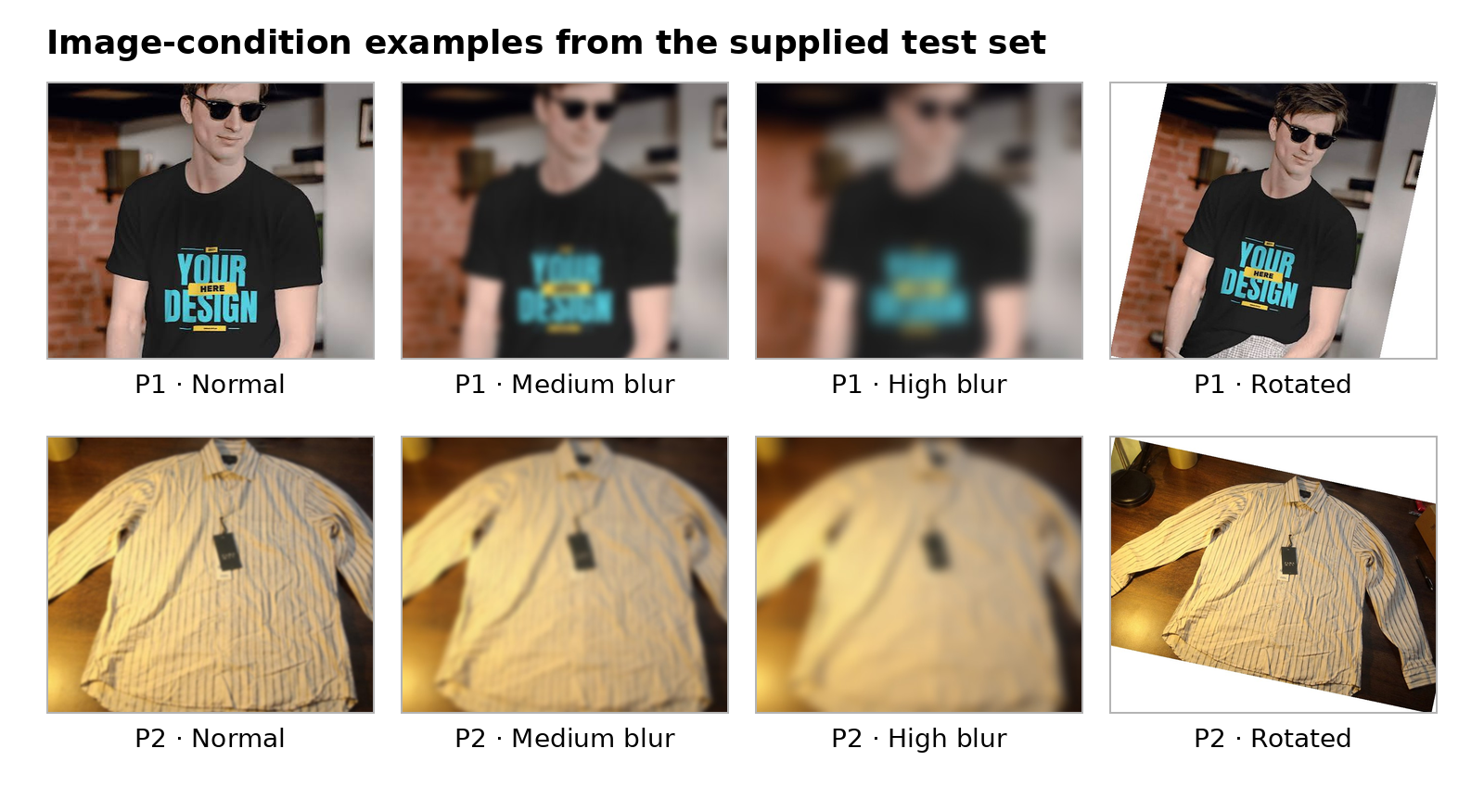 Examples of clear blurred and rotated product photos
Clear, blurred, and rotated views of two products.
Finding 3: Clearer photos give better matches
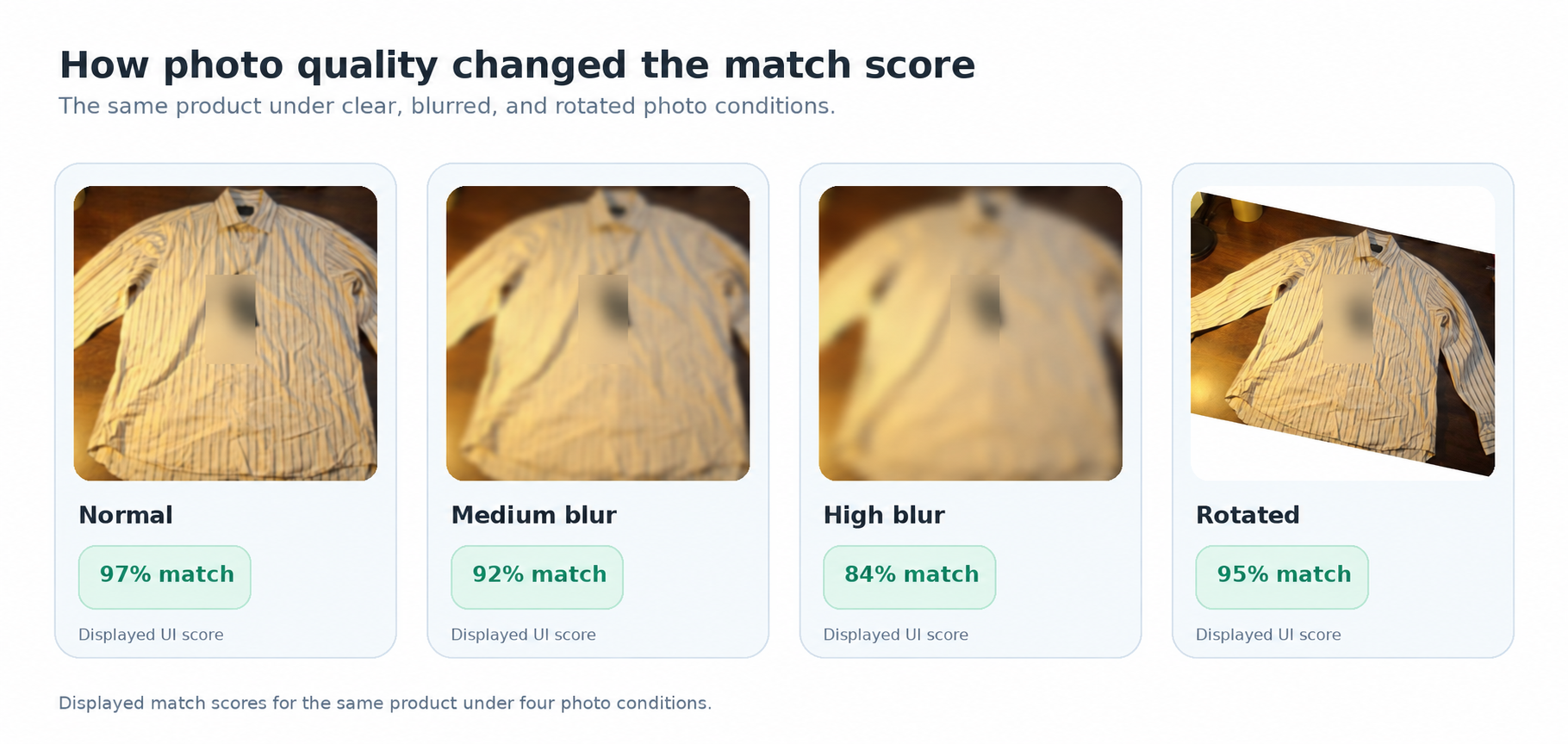 Product photo match scores by image condition
Image-condition scores: clear photo 97%, medium blur 92%, heavy blur 84%, rotated 95%.
In these images, blur reduced the match score more than rotation did. That gives us a practical reason to help staff take a clear photo and make retaking it easy. The percentages shown belong to these individual image comparisons; they do not measure how often the search finds the correct product.
08 / BUSINESS IMPACT
Turning product photos into a searchable catalogue
The retailer’s existing photo repository became a practical tool for identifying products in stores. In the evaluation, the correct product appeared among the first five results in 78 of 89 searches, giving staff a useful shortlist while keeping the final selection in their hands.
This capability puts years of photography to work in everyday store operations. Staff can start with a photo of the item in front of them, making identification easier when a barcode or ticket is missing.
| For store associates | For the product catalogue |
|---|---|
| A direct way to find likely matches, with less manual searching and fewer routine requests for help. | An additional use for existing product photos, turning them into reference images that support identification across stores. |
Benefits for store operations
- Faster product lookup: Staff can search using a photo without first knowing the product’s name, code, or category.
- Less reliance on support teams: A shortlist helps staff resolve straightforward identification queries themselves.
- Simpler pricing and ticket creation: Once the product is confirmed, staff can retrieve its record and create the correct ticket.
- Easier comparison: Staff can review likely matches side by side when products look similar.
- More value from existing assets: Photos collected for merchandise checks also support product search.