

We built a cross-platform proof of concept that puts commerce, healthcare, finance and real estate experiences inside ChatGPT and Claude, using one shared widget system. Here is what we made, how it is put together, and what a production build adds.
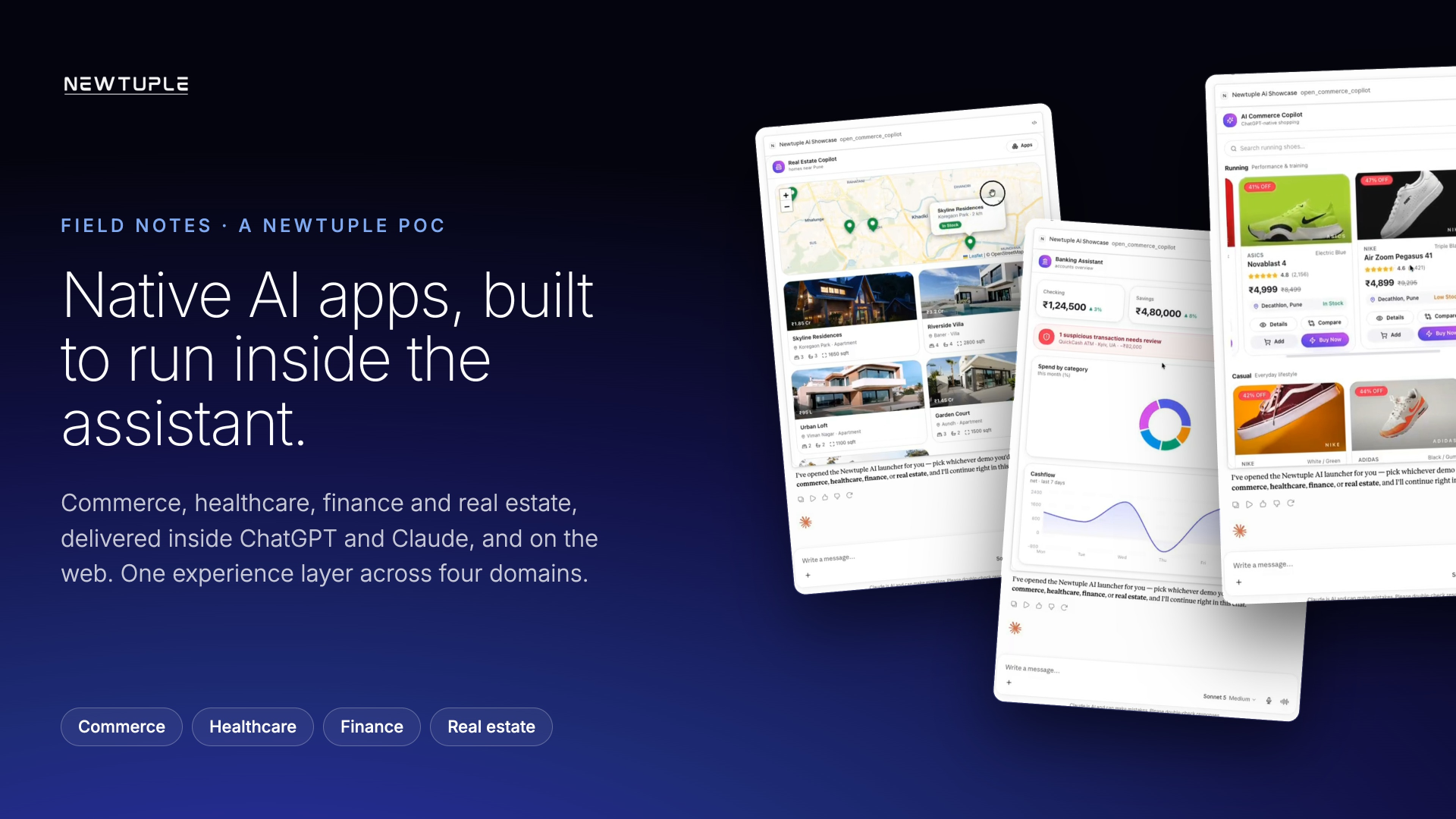 Newtuple Native AI Apps POC showing commerce, healthcare, finance and real estate app experiences across assistant surfaces
A growing share of customer journeys now begins with a question typed into an assistant, before anyone opens a website. That shift moves the first point of contact somewhere most businesses do not yet design for.
This is a field note on a proof of concept we built to work through what that means in practice. It runs on mock data, and it is not a live product. The point was to make the experience concrete: to take four ordinary business workflows and see what it takes to deliver them as native AI apps, rendered as interactive widgets right inside the conversation.
01 · Why we built this
A text reply cannot carry a business process
An assistant can answer a question well. Moving someone from that question to a finished outcome, a booked appointment, a resolved fraud case, a completed purchase, asks for more than text. It needs interface pieces that show options, structured comparisons the user can act on, and safe actions wired to real systems.
So the practical question is not whether to add a chatbot. It is where the experience should live, and how much of a workflow it can actually complete once it is there. We picked four domains that each stress a different part of that problem and built them end to end.
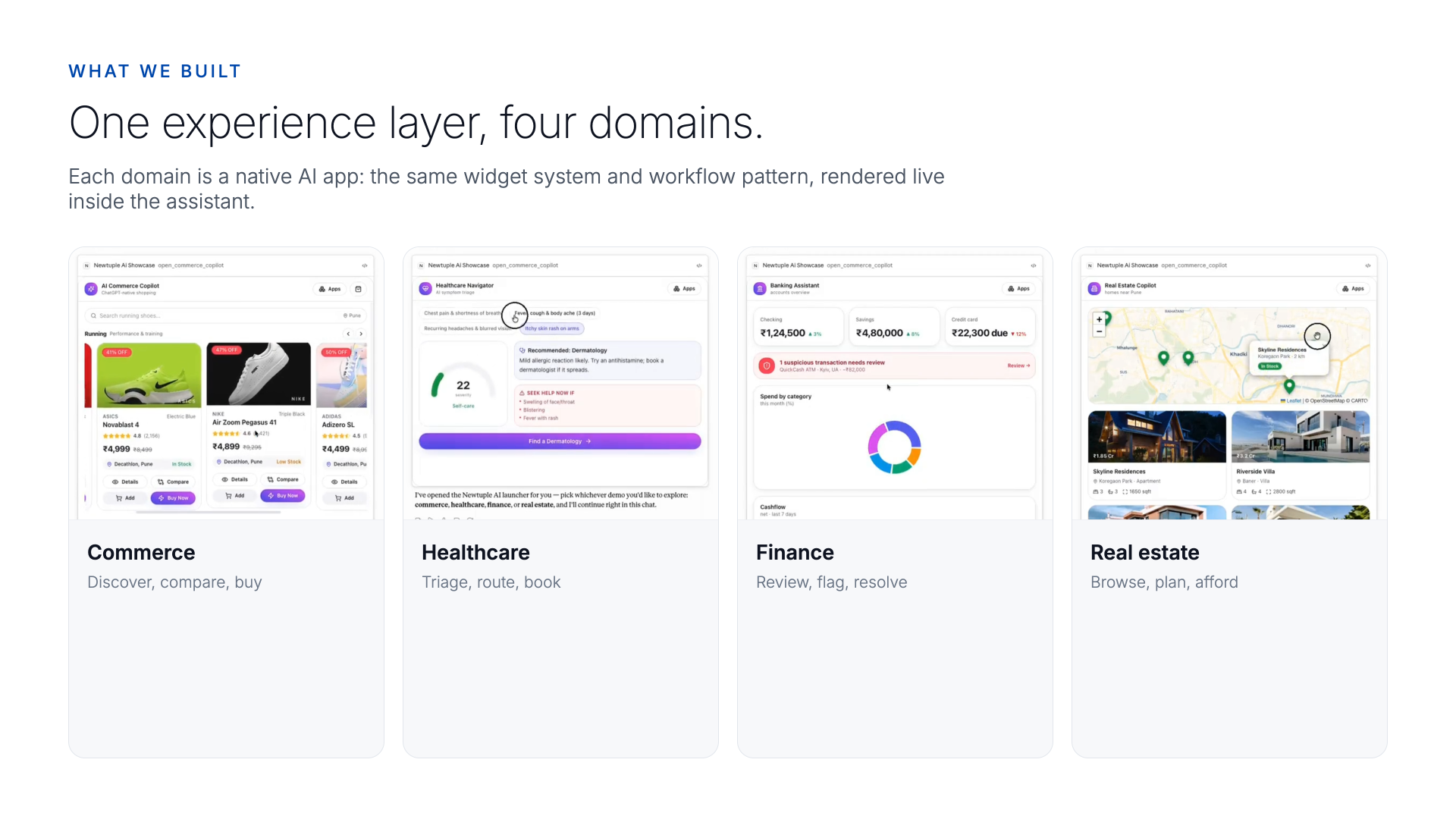 Newtuple AI experience center showing native AI apps for commerce, healthcare, finance and real estate
One experience layer across four domains. Each app shares the same widget system and workflow pattern, rendered live inside the assistant.
Newtuple AI experience center showing native AI apps for commerce, healthcare, finance and real estate
One experience layer across four domains. Each app shares the same widget system and workflow pattern, rendered live inside the assistant.
02 · What we built
Four domains, two surfaces, one widget system
Each domain is a working app rather than a script of canned replies. The user asks in their own words, the assistant opens the relevant app, and the interaction happens inside the chat: cards, charts, maps, gauges and forms that respond to input and carry the person toward a decision.
The same experiences are packaged two ways. They run on the open web, and they run as in-chat apps inside ChatGPT and Claude. The screenshots throughout this post are taken from the apps running live inside Claude.
03 · Commerce
From a shopping question to a guided purchase
The commerce copilot turns a plain request into product discovery. It searches the catalog conversationally, recommends and compares options, shows price, discount and stock inline, and carries the shopper through product detail, nearby store availability, and checkout without leaving the conversation.
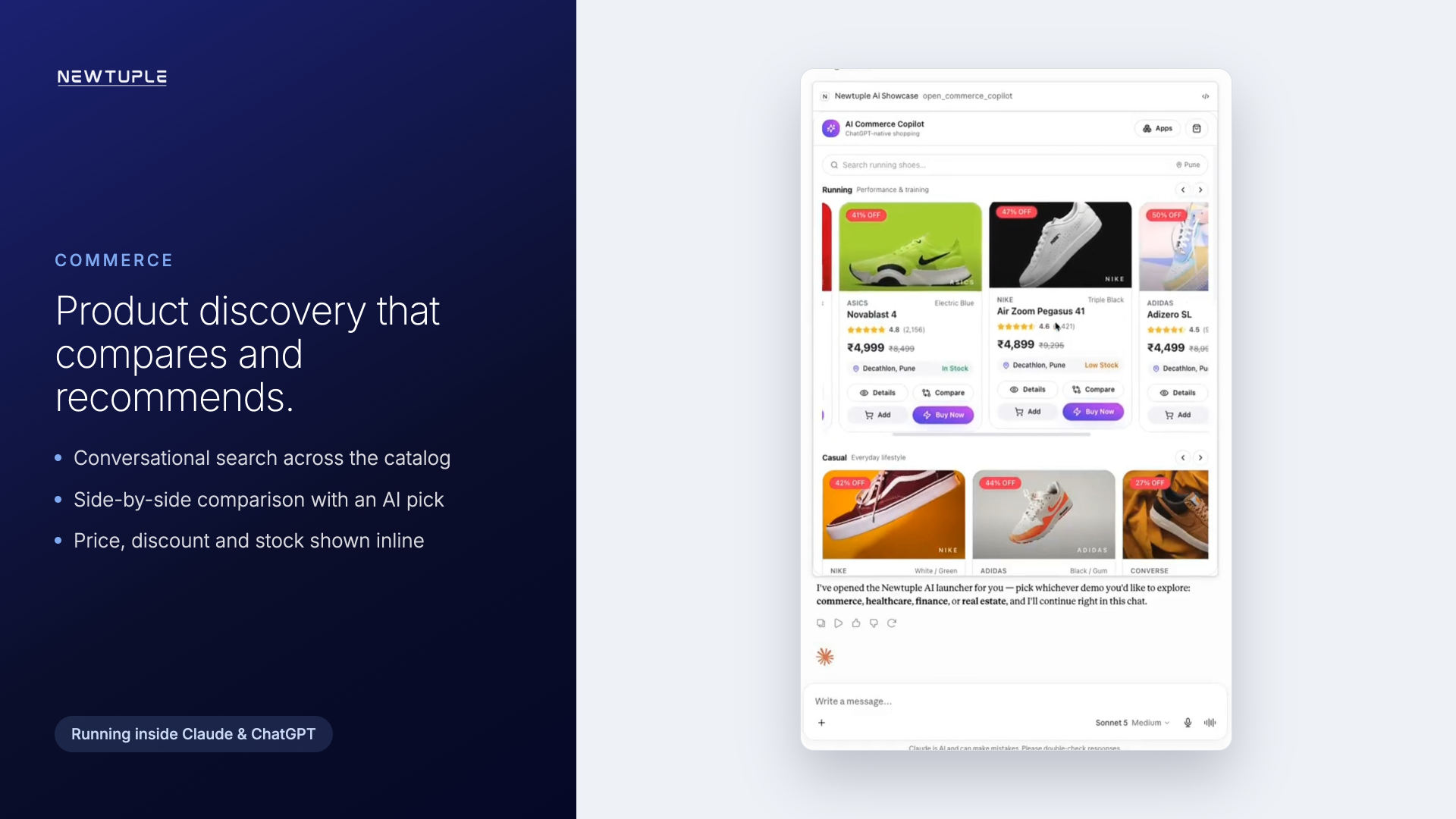 AI commerce copilot showing product discovery cards, recommendations, comparison and buy actions inside an assistant interface
Conversational product discovery with comparison, an AI pick, and buy actions, rendered inside the assistant.
AI commerce copilot showing product discovery cards, recommendations, comparison and buy actions inside an assistant interface
Conversational product discovery with comparison, an AI pick, and buy actions, rendered inside the assistant.
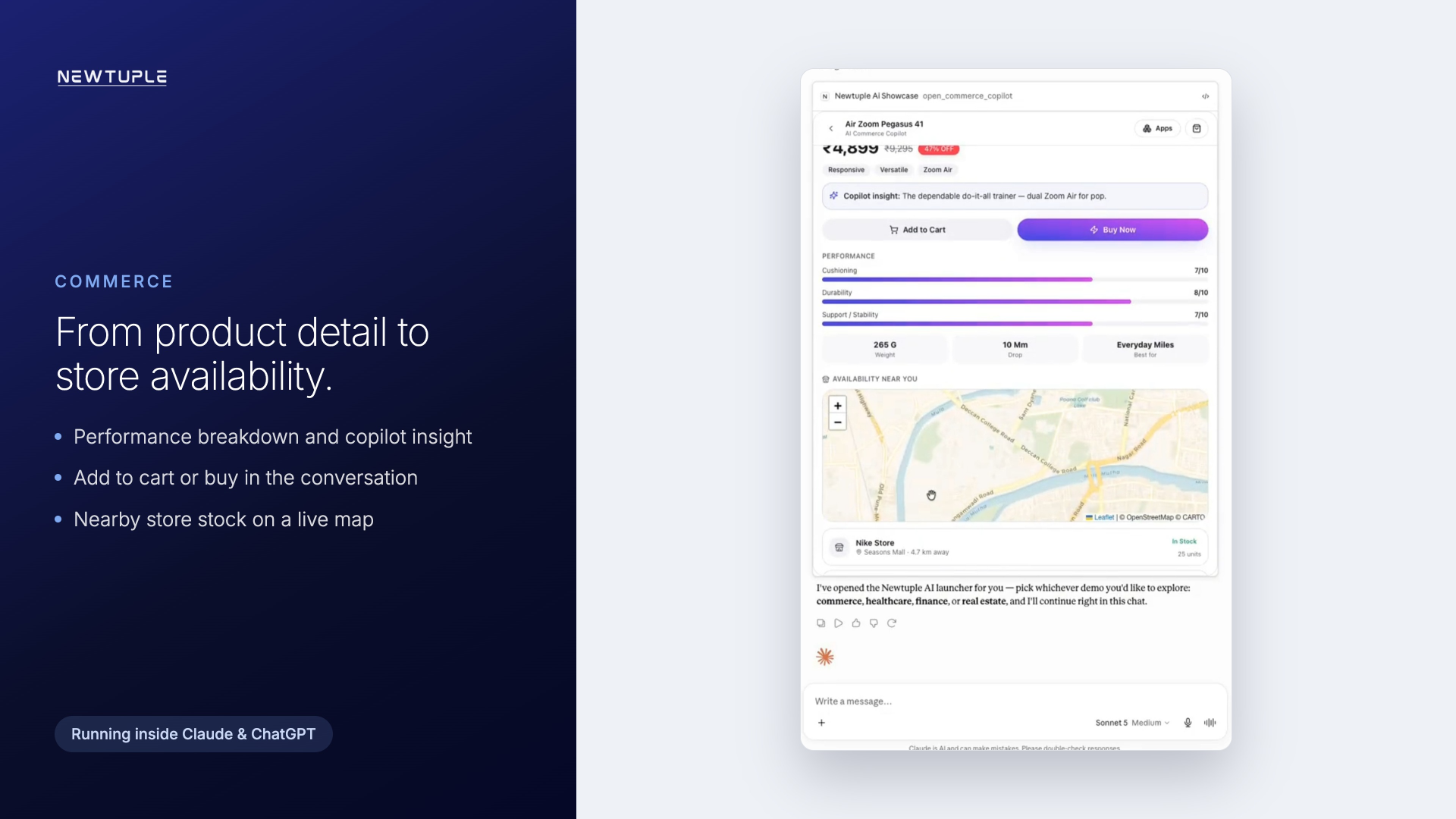 Commerce copilot showing product detail, performance breakdown and store availability on a map
Product detail with a performance breakdown, a copilot insight, and nearby store stock on a live map.
Commerce copilot showing product detail, performance breakdown and store availability on a map
Product detail with a performance breakdown, a copilot insight, and nearby store stock on a live map.
04 · Healthcare
From a symptom to a booked specialist
The healthcare navigator takes a guided symptom intake and returns an explainable severity score, a specialty recommendation, and clear guidance on when to seek help. From there the user can compare clinicians by rating, fee and distance, pick an available slot, and receive a confirmation, all in one flow.
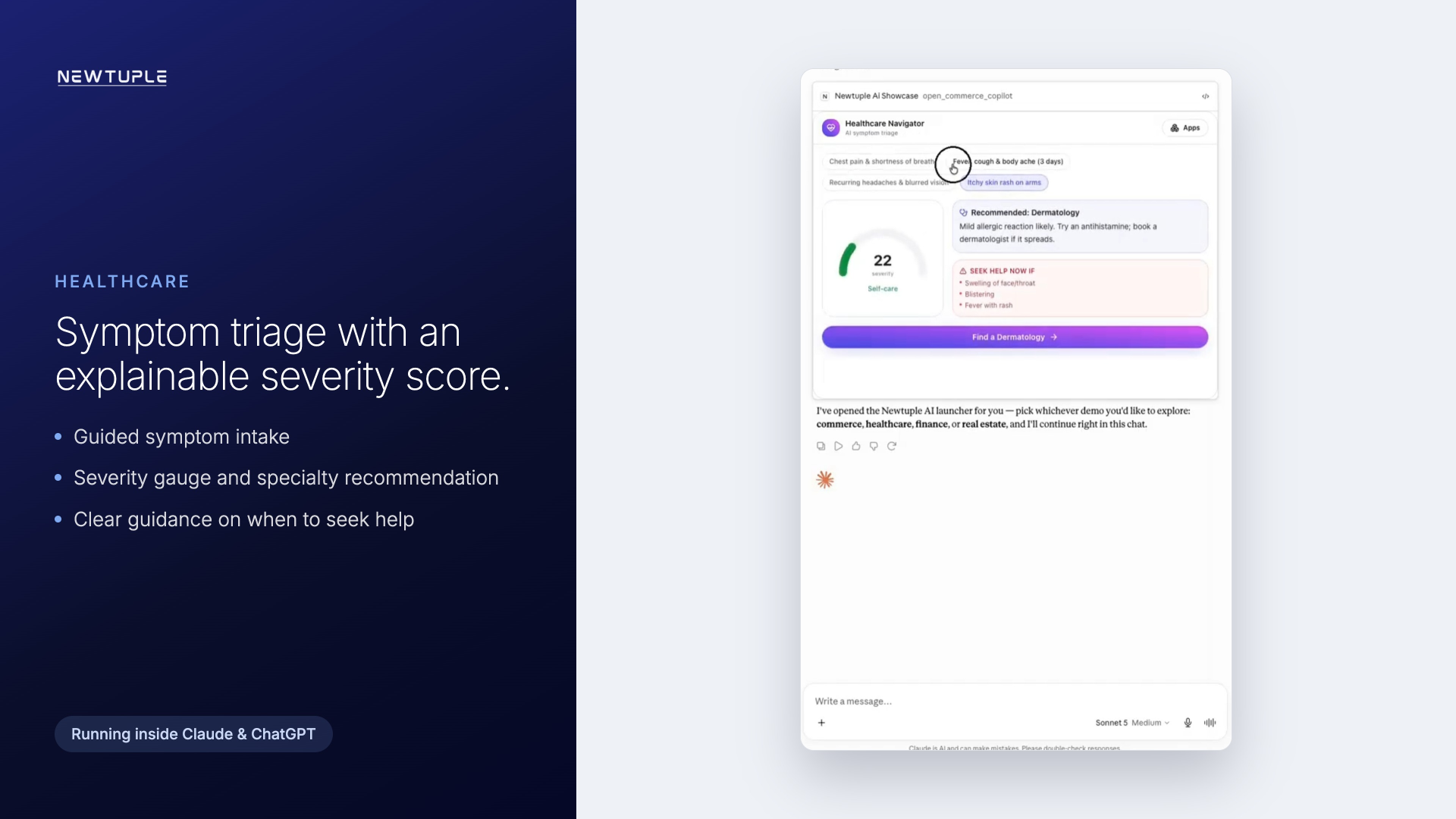 Healthcare navigator showing symptom intake, triage severity gauge and guided care routing in an AI app
Symptom triage with a severity gauge, a specialty recommendation, and explicit seek-help guidance.
Healthcare navigator showing symptom intake, triage severity gauge and guided care routing in an AI app
Symptom triage with a severity gauge, a specialty recommendation, and explicit seek-help guidance.
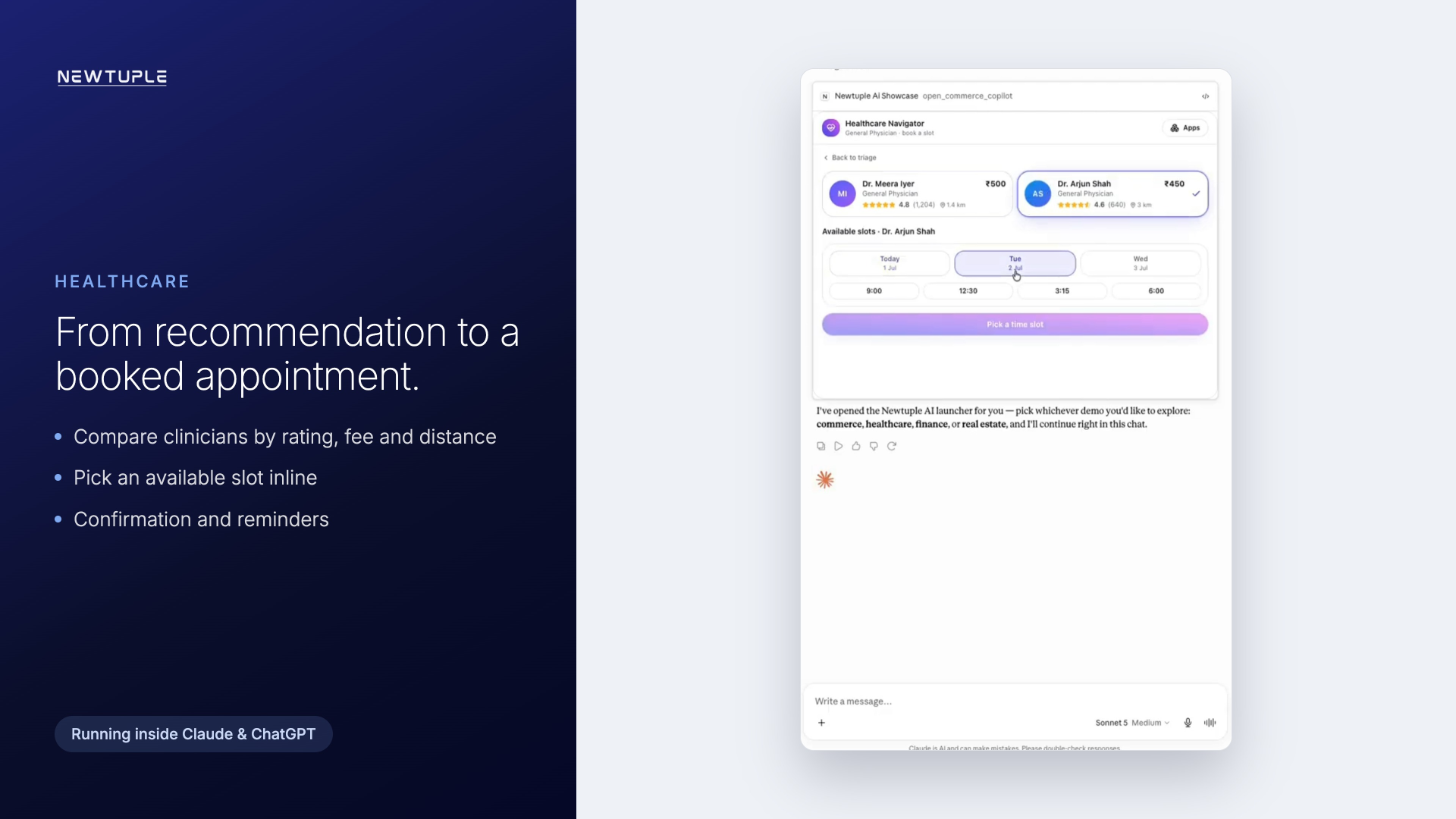 Healthcare navigator showing doctor selection, appointment slot booking and confirmation workflow inside an assistant experience
Clinician comparison and slot booking, moving from a recommendation to a confirmed appointment.
Healthcare navigator showing doctor selection, appointment slot booking and confirmation workflow inside an assistant experience
Clinician comparison and slot booking, moving from a recommendation to a confirmed appointment.
05 · Finance
From an alert to a resolved case
The banking assistant opens on an account overview with balances and a spend breakdown, then surfaces a suspicious transaction with the context that explains why it was flagged: an unfamiliar merchant, an unusual location, an amount out of pattern. The user can review and act, freeze the card or mark it safe, in a single step.
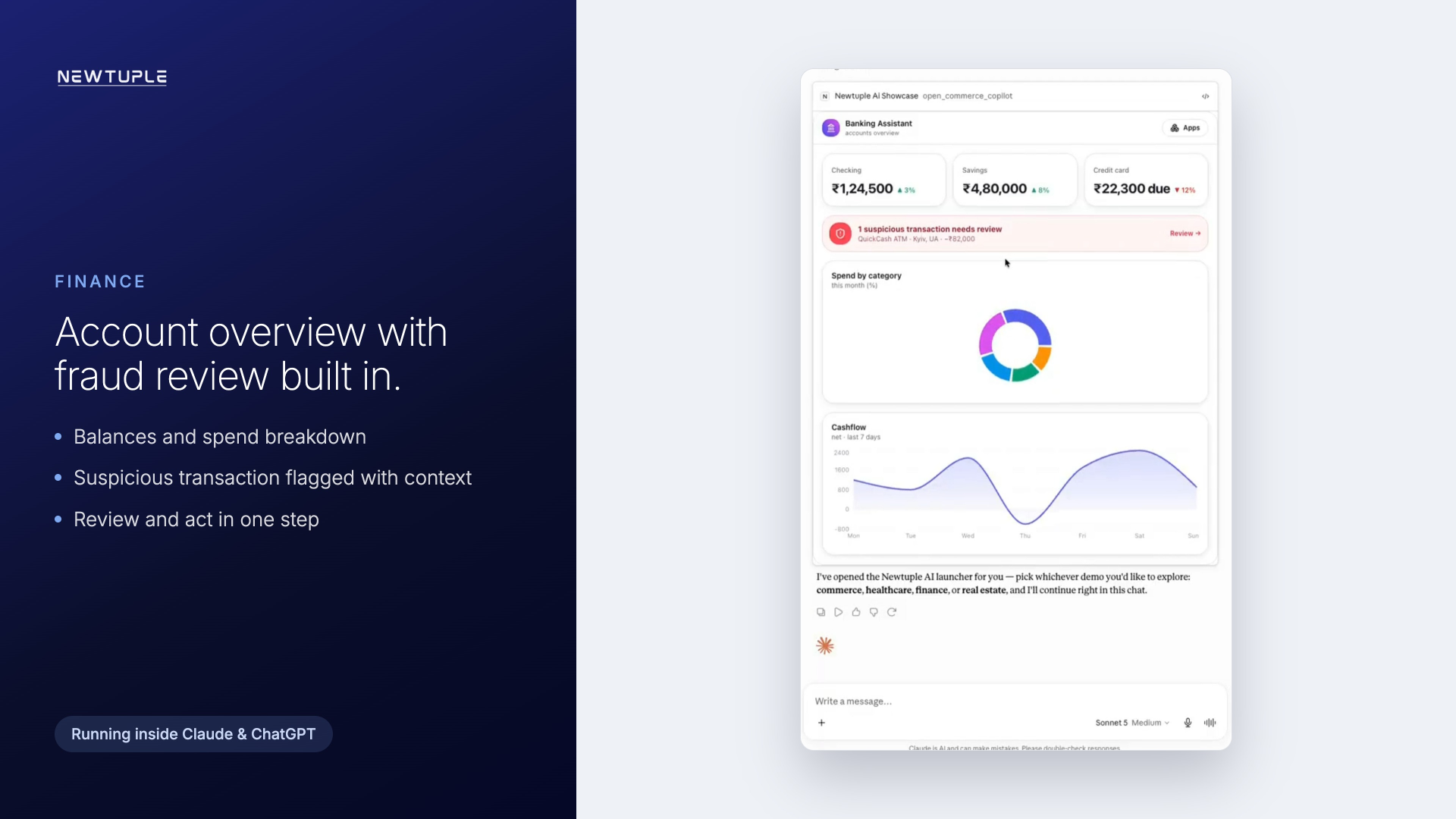 Banking assistant showing fraud review, risk context, spend breakdown and action buttons for card safety workflow
An account overview with fraud review built in: the flagged transaction, its context, and the actions that close the loop.
Banking assistant showing fraud review, risk context, spend breakdown and action buttons for card safety workflow
An account overview with fraud review built in: the flagged transaction, its context, and the actions that close the loop.
06 · Real estate
From browsing to an affordability plan
The real estate copilot begins with map-led discovery, listing cards carrying price, beds and area, and neighborhood context. Inside a listing it opens an affordability plan: adjustable down payment, rate and tenure, a live monthly figure, and a breakdown of principal against interest.
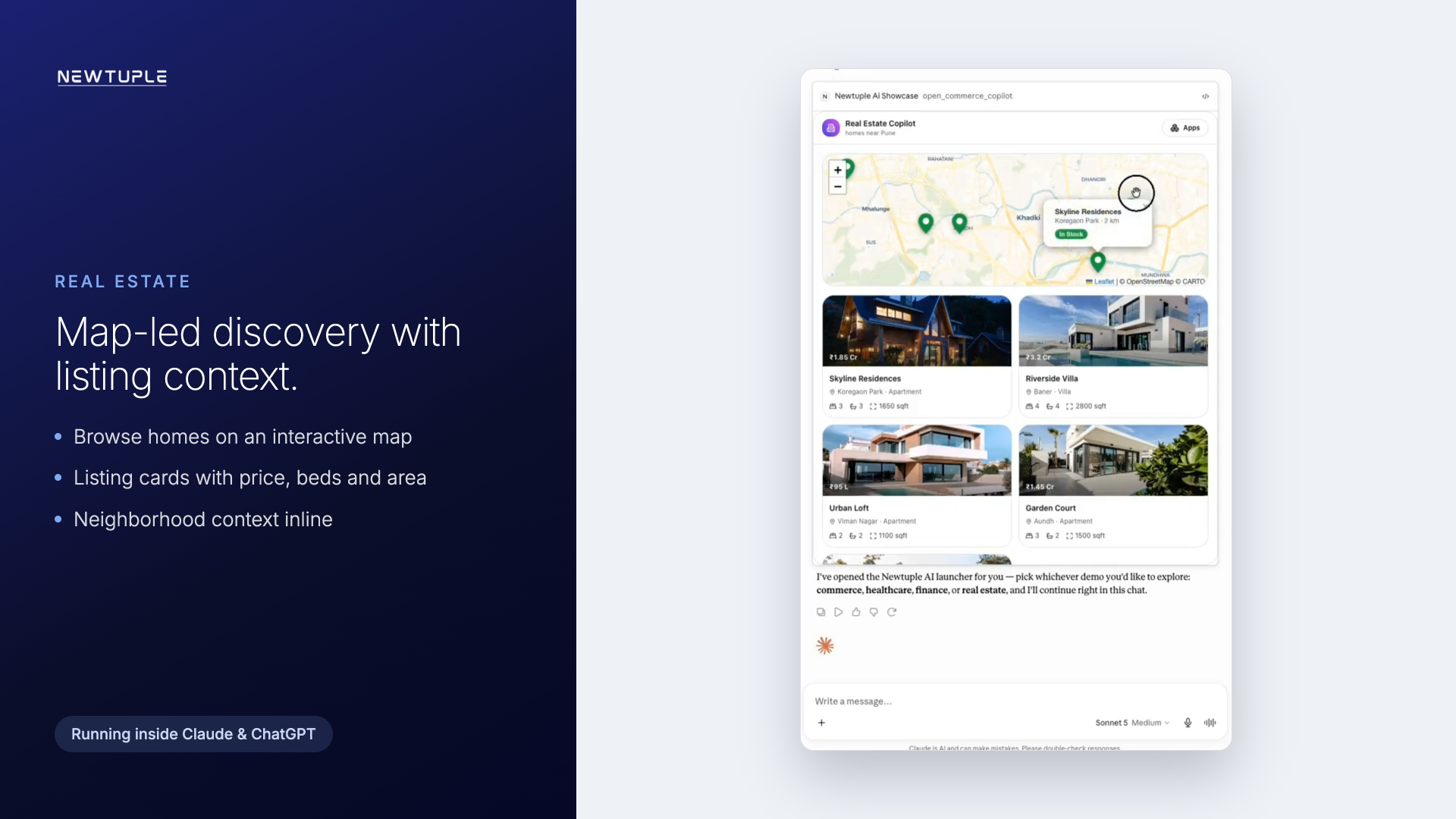 Real estate copilot showing map-led property discovery, listing cards and neighborhood context in an AI-native app
Map-led discovery with listing cards, letting the user browse homes and read context in place.
Real estate copilot showing map-led property discovery, listing cards and neighborhood context in an AI-native app
Map-led discovery with listing cards, letting the user browse homes and read context in place.
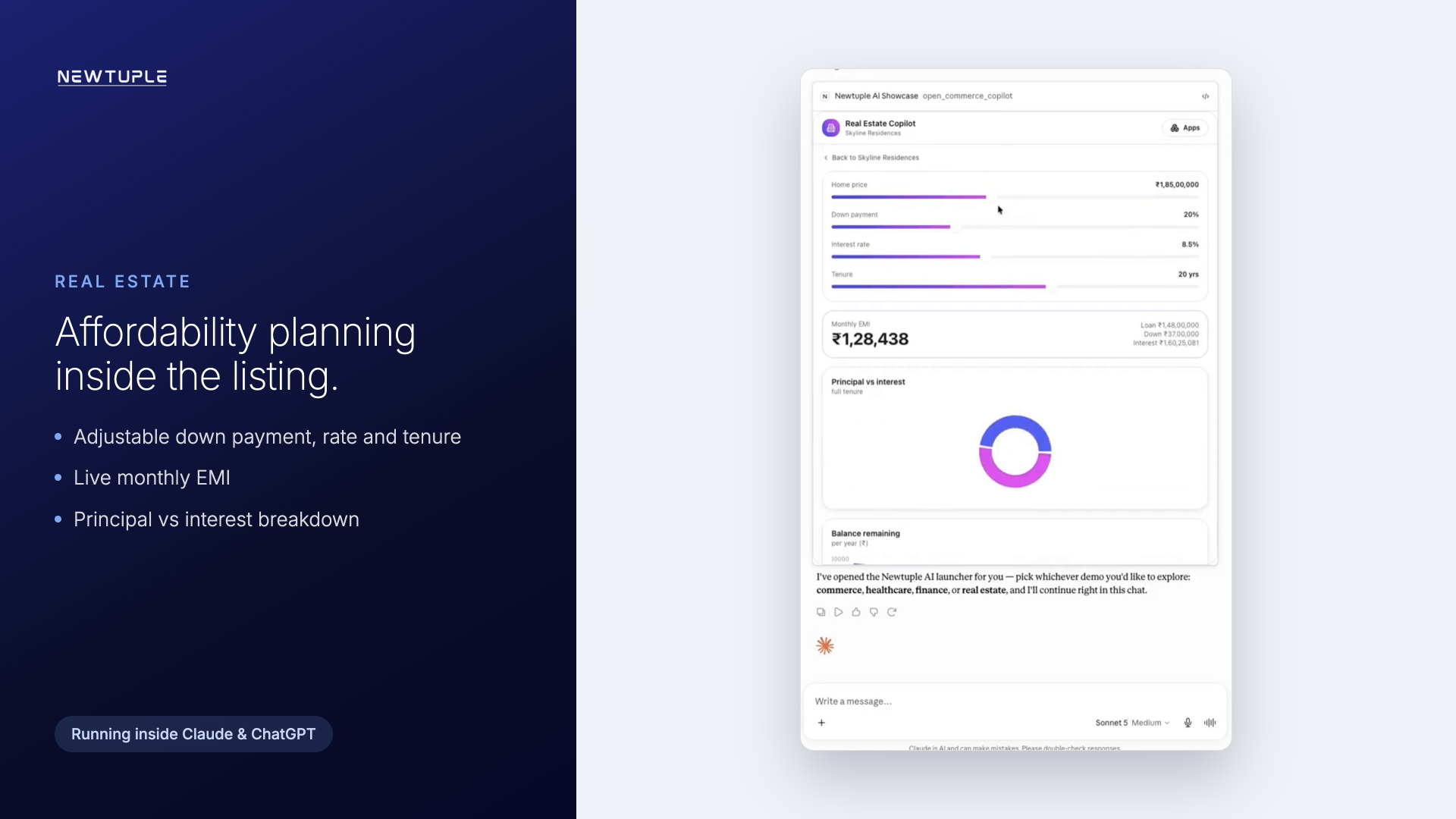 Real estate copilot showing a mortgage calculator and affordability planning charts inside the property journey
An affordability plan inside the listing, with a live monthly figure and a principal against interest breakdown.
Real estate copilot showing a mortgage calculator and affordability planning charts inside the property journey
An affordability plan inside the listing, with a live monthly figure and a principal against interest breakdown.
07 · Two surfaces
One capability layer, two places to meet users
The same app can be delivered through more than one surface, and the right choice depends on the job. In our build we packaged each experience for both.
| Surface | Fits | Strength |
|---|---|---|
| Claude and MCP | Governed, tool-connected workflows | Depth of access to tools, documents and structured actions |
| Native ChatGPT apps | High-discovery, customer-facing journeys | Reach and low-friction access where users already ask |
The surface changes with the audience and the governance needs. The capability layer underneath, the widgets, the workflows and the orchestration, stays the same. That reuse is the point.
08 · The widget system
The building blocks beyond chat
The four apps are not four separate builds. They draw on one shared library of interface pieces, composed differently per domain:
- Product and listing cards, comparison views and detail panels
- Charts, donuts and severity gauges for structured decision support
- Interactive maps for location and availability
- Selectors, steppers, slot pickers and calculators for input
- Checkout, booking and action flows that complete the task
Because the pieces are shared, a fifth or sixth domain is mostly a matter of composition rather than a build from zero.
09 · From POC to production
What a production build adds
This proof of concept demonstrates the experience layer and the cross-platform packaging. It runs on mock data, with no live backend, authentication or marketplace listing behind it. The diagram below shows where the POC sits and what a production deployment adds around it.
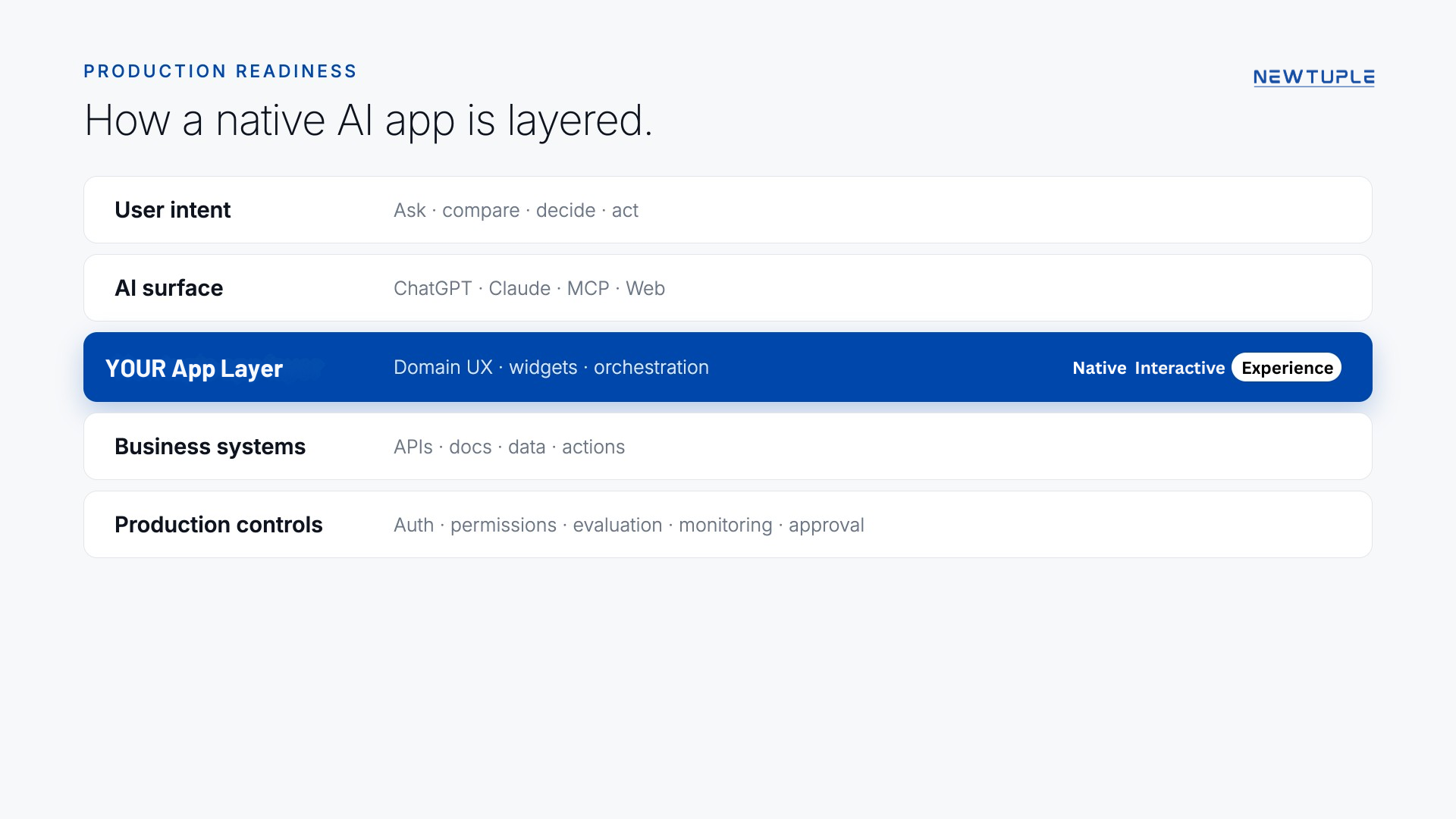 Native AI app architecture from assistant surface to widgets, tools, business systems, evaluation, logs and approvals
The layered architecture. The POC proves the app layer; production adds live integration and the controls around it.
Native AI app architecture from assistant surface to widgets, tools, business systems, evaluation, logs and approvals
The layered architecture. The POC proves the app layer; production adds live integration and the controls around it.
- Live integration to real catalogs, records and transaction systems in place of mock data
- Authentication and permissions so actions run against the right account with the right scope
- Evaluation for quality and safety before and after release
- Monitoring and human approval for the steps that change real state
Our point of view
Meet customers where they already ask
The entry point to a business is starting to move into the assistant, and a plain chat reply does not carry a workflow on its own. Native AI apps, built from a reusable widget system and delivered on the surface that fits the job, are how a conversation becomes a completed outcome.